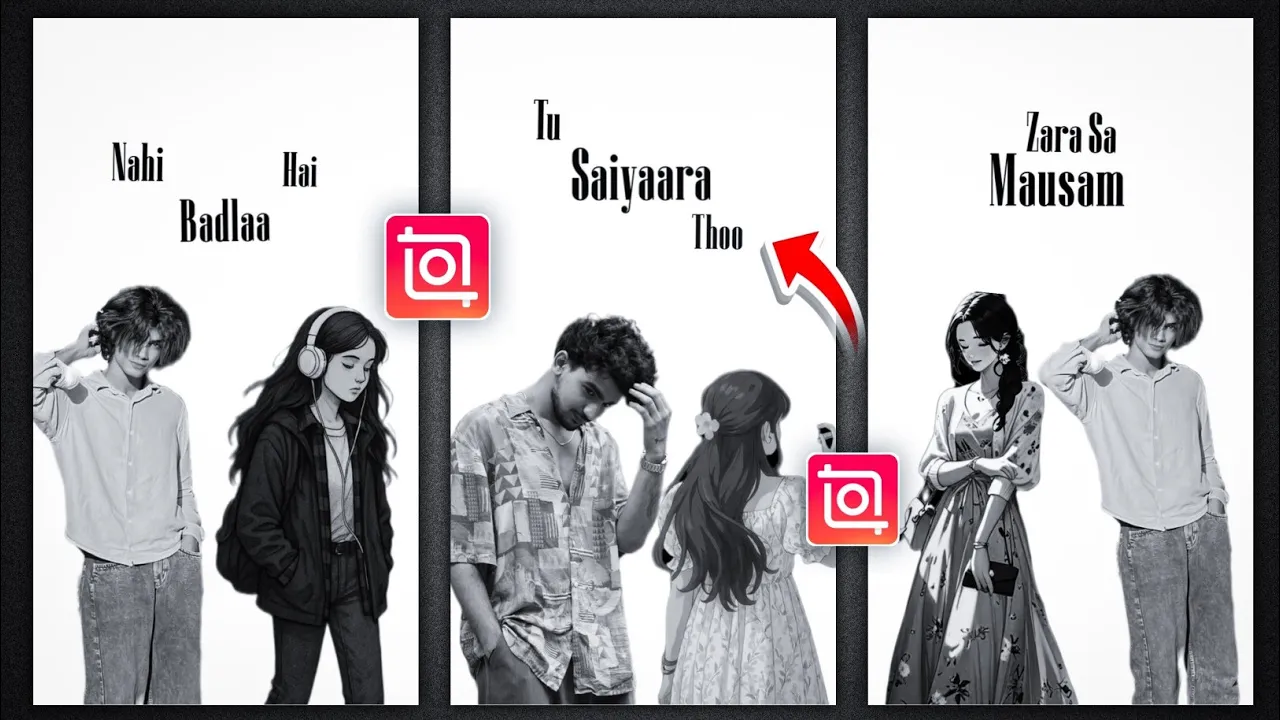
How to Make Viral Sayara Song Lyrics Video Using InShot App (Step-by-Step Tutorial)
Hello guys! How are you all doing? In today’s tutorial, I’ll show you exactly how to create a viral-style Sayara song lyrics video using the InShot app. This trending edit is currently blowing up on Instagram Reels, and if you upload your version quickly, there’s a high chance your reel will go viral too!
Instagram users are obsessed with this track, and today you’ll learn how to make this effect-packed video completely on your smartphone — no PC needed!
🎬 Step 1: Install and Open InShot App
- If you don’t already have the InShot app, install it from the Google Play Store.
- Open the app, and you’ll see a simple interface with a ‘Video’ option. Click on it and then tap on ‘New’.
🖼 Step 2: Add a Blank White Background
- Select a blank image from the options available.
- Tap on ‘Done’ to add it to your timeline.
- Now scroll through the tools and click on ‘Background’.
- Choose white as your background color and confirm by clicking ‘Done’.
- Increase the duration to around 15 seconds (enough for Reels).
📱 Step 3: Set Canvas Ratio for Instagram
- Click on the ‘Canvas’ option and select the ratio 9:16 (perfect for Reels).
🖼 Step 4: Add Images with Removed Background
- Click on PIP (Picture-in-Picture) and go to the ‘Photos’ section.
- Select your first image (preferably one with the background already removed).
- If the background isn’t removed, scroll and tap on ‘Cutout’ to remove it automatically.
- Resize and adjust the image at the bottom of the canvas.
👧 Step 5: Add Trending Anime Girl Image
- Again, click on PIP and choose a trending anime girl image (you can download free PNGs from sites like PNGWing or CleanPNG).
- All the recommended character PNGs will be linked in the description (as per the video creator).
- Adjust the anime image below your own image layer to create a layered visual effect.
🎨 Step 6: Convert Images to Black & White
- Select the image → Tap on ‘Filter’ → Go to ‘Adjust’.
- Reduce saturation to 0 to convert it to black and white.
- Optionally adjust the shadow setting for a smoother cinematic tone.
- Repeat the same for the other image layers.
🎵 Step 7: Add the Sayara Song Lyrics Video
- Go back to the beginning of your video timeline.
- Tap on PIP → Go to the ‘Video’ section.
- Select the Sayara song lyrics video (download link would be in the video description).
- Resize and place it correctly on the canvas.
- Now tap on ‘Blend’ → Choose the ‘Multiply’ mode for a cinematic overlay look.
📐 Step 8: Fine-Tune and Adjust Elements
- Rearrange the girl and boy image sizes to balance the frame composition.
- Make sure all layers are aligned till the end of the video for smooth continuity.
✨ Step 9: Add Simple Animation (Tilt Effect)
- Select the first image (e.g., girl), go to the start of the timeline → Add a keyframe.
- Go to the middle of the video and add another keyframe. Slightly tilt the image towards the boy.
- Do the same for the boy image → Add start, middle, and end keyframes → Tilt towards the girl image in the middle.
- This simple tilt animation adds a dynamic feel to your video.
📤 Step 10: Export in 4K Quality
- Once your video is ready, click on ‘Export’.
- Select 4K resolution for the best quality, especially if you plan to upload on Instagram Reels or TikTok.
🚀 Final Thoughts
That’s it! You’ve now learned how to make a viral-style Sayara song lyrics video using just your phone and the InShot app. This trend is hot on Instagram right now, and adding your creative touch can get your content in front of thousands (or even millions) of viewers.
If you haven’t yet explored InShot, it’s one of the best mobile editors for quick viral content. You can download it here:
Want more viral editing ideas? Check out these resources:
Hope this tutorial helped you! See you in the next video. Until then, stay happy and spread positivity ✨
Download Anime Girl